











TikTok Video Downloader

No Watermarks. Unlimited Free Downloads.

How to Download TikTok Videos

  • Copy the TikTok Video Link

    Copy the TikTok Video Link

    Launch TikTok, select your video, hit the Share button, and then tap Copy Link.

  • Paste to DownloadTik

    Paste to DownloadTik

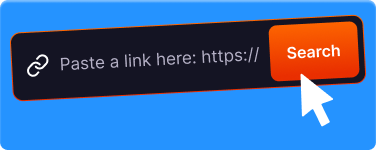
    Navigate to DownloadTik, paste the link into the input box.

  • Download Instantly

    Download Instantly

    Select your preferred format and click Download. Your video will be ready in a flash!

Download TikTok Videos Online HD Without Watermark

DownloadTik is a free online tool for downloading TikTok videos in HD quality without watermarks. Our service lets you save favorite videos from TikTok to any device — Android, iPhone, PC, or Mac — without installing additional software.

With millions of videos uploaded daily, TikTok has become a leading entertainment platform for billions of users worldwide. However, the official TikTok app does not provide a watermark-free download option. That's where our service comes in.

Why Download TikTok Videos?

  • Watch Offline

    Save your favorite videos for watching without internet — on flights, in areas with no signal, or when saving mobile data.

  • Share to Other Platforms

    Share videos to WhatsApp, Instagram Stories, YouTube Shorts, or other platforms with a professional look — no watermark.

  • Archive & Backup

    Save videos before they get deleted by the creator or banned by the platform. Your personal collection stays safe.

  • Edit & Repurpose

    Use as material for your own creative content — compilations, reactions, or editing projects (always credit the original creator).

Service Specifications

Specification Details
Output Formats MP4 (Video), MP3 (Audio)
Video Quality SD (480p), HD (720p), Full HD (1080p), Original — without watermark
Limits Unlimited downloads, absolutely free
Registration Not required
Supported Devices Android, iOS, Windows, macOS, Linux
Supported Browsers Chrome, Safari, Firefox, Edge, Opera, and more

Why Use DownloadTik?

  • Fast Downloads

    Download any TikTok video in seconds — processing is completed in under 5 seconds on average.

  • No Watermark

    Get clean, watermark-free videos ready for sharing or offline viewing.

  • MP4 & MP3

    Download video in MP4 format or extract audio-only in MP3 — your choice.

  • All Devices

    Works on Android, iPhone, PC, Mac, and any device with a modern browser.

  • Unlimited

    Download as many videos as you want — no daily limits, no restrictions.

  • Safe & Private

    No account required, no data stored. Your privacy is our priority.

Supported TikTok URL Formats

Our service supports all TikTok link formats, including short links, web URLs, and mobile URLs. Simply copy the link from the TikTok app or browser.

Link Type Format Example
Short Link tiktok.com/t/... tiktok.com/t/ZMr8xxxxx/
Web URL www.tiktok.com/@user/... https://www.tiktok.com/@user123/video/712345...
Mobile URL m.tiktok.com/v/... https://m.tiktok.com/v/712345678.html
How to Get a TikTok Video Link:
  1. Open the video in the TikTok app
  2. Tap the Share button (arrow icon)
  3. Select "Copy link" or "Copy URL"
  4. The link is ready to paste into the input field above

Device Compatibility

Our service is web-based and accessible from any device with a modern browser.

Operating Systems

  • Android 5.0+
  • iOS 13+
  • Windows 7+
  • macOS 10.12+
  • Linux (all distros)

Browsers

  • Chrome 80+
  • Safari 13+
  • Firefox 75+
  • Edge 80+
  • Opera 67+
  • Samsung Internet 12+

Recommendation for iPhone users: Use Safari for the best download experience. Other browsers on iOS have limitations with file downloads.

User About Downloadtik

  • Ava

    Ava

    Rating

    Needed to save a recipe video before my flight. Pasted the link, got the MP4 in like 3 seconds. No watermark either, which is great

  • Ethan

    Ethan

    Rating

    I run a meme page and this saves me so much time. Way faster than screen recording and the quality is actually good

  • Isabella

    Isabella

    Rating

    Tried a few other sites first but they were full of ads and pop-ups. This one just works, no drama. Bookmarked it

  • James

    James

    Rating

    Downloaded about 20 videos for a presentation at work. Every single one came through clean and in HD. Solid tool

  • Liam

    Liam

    Rating

    Works on my phone too which is a big plus. I just open it in Safari, paste the link, and the video goes straight to my camera roll

  • Mason

    Mason

    Rating

    My girlfriend showed me this site and honestly I use it almost every day now. Simple and reliable, never had an issue

  • Mia

    Mia

    Rating

    Love that there is no sign-up or anything. Just paste and download. Exactly how these tools should work 👌

  • Noah

    Noah

    Rating

    The MP3 option is clutch. Found a song on TikTok, couldn't find it on Spotify, downloaded the audio here. Problem solved

  • Sophia

    Sophia

    Rating

    I save workout videos so I can follow them at the gym without using data. This site makes it super easy to do that

  • Emma

    Emma

    Rating

    Used it on both my laptop and my iPhone and it worked perfectly on both. No watermark, good quality. Can't complain

Complete FAQ

Basic Usage

How long does it take to download a TikTok video?

On average, downloading takes 3–5 seconds for videos of normal length (15–60 seconds). Longer videos or higher-quality downloads may take slightly longer (10–15 seconds).

Factors that affect speed: your internet connection, video file size, and current server load.

Is there a daily download limit?

No limits! You can download as many TikTok videos as you want, anytime, with no daily quota. Our service is unlimited and free forever.

Are downloaded videos stored on your server?

No. We do not keep copies of the videos you download. Videos are processed in real-time and sent directly to your device. After the download completes, no data remains on our servers.

This policy protects your privacy and respects content creators' copyrights.

Technical Questions

What is the difference between HD, Full HD, and Original quality?

SD (480p): 480×854 resolution, ~5–15 MB — best for saving data.
HD (720p): 720×1280 resolution, ~15–40 MB — recommended for standard viewing.
Full HD (1080p): 1080×1920 resolution, ~40–100 MB — ideal for high quality and editing.
Original: Matches the upload quality, file size varies — maximum quality preservation.

How do I download audio/music only from a TikTok video?

To extract audio from a TikTok video: paste the video link, click Download, then select the Download MP3option from the results. The audio file will be saved in MP3 format with quality ranging from 128–320 kbps (depending on the original source). You can also visit our dedicated TikTok to MP3 page.

Troubleshooting

Download failed or is slow — what should I do?

If you experience download issues, try these steps:

  1. Refresh the page and paste the link again
  2. Check your internet connection — make sure it's stable
  3. Clear your browser cache (Ctrl+Shift+Delete)
  4. Try a different browser — Chrome is usually the most stable
  5. Disable VPN if currently active

If the problem persists, contact our support with the video link that's causing issues.

Where are downloaded video files saved?
File location depends on your device and browser:Android: Internal Storage > Download (open with Files or Gallery app)iPhone/iOS: Files app > Downloads folderWindows: C:\\Users\\[Username]\\DownloadsMac: ~/Downloads (Finder > Downloads)Tip: On iOS, to save to your Photos Gallery: open the file in Files → tap Share → select Save Video.

Legal & Privacy

Is downloading TikTok videos legal?

Downloading TikTok videos for personal use is generally allowed. However, please note:

  • ✓ Allowed: Watching offline, saving for personal collection, personal reference
  • ⚠️ Requires permission: Re-uploading to other platforms, commercial use, modification without credit
  • ✗ Not allowed: Claiming as your own content, selling others' content, copyright infringement

We recommend always respecting content creators' copyrights and giving credit when re-sharing.

Is this service safe? What data do you collect?

Yes, our service is safe. Here's our privacy policy summary:

  • ✓ SSL-encrypted connection (HTTPS)
  • ✓ No login or registration required
  • ✓ We don't store videos you download
  • ✓ We don't save TikTok links you input
  • ✓ We don't access your TikTok account

Data collected (anonymous analytics only): browser/device type (for compatibility), country/region (for server optimization), download counts (aggregate statistics).

Read our full Privacy Policy for details.

How do I report copyright infringement?

If you're a content owner and find your video being misused through our service, please contact us via email at [email protected] or through our contact form.

Please include: proof of content ownership, the original TikTok video link, and a description of the violation. We will process reports within 24–48 business hours.

Disclaimer & Legal Information

Copyright & Responsible Use

This service is intended for personal and educational use. By using DownloadTik, you agree to:

  • Respect the copyrights of original content creators
  • Not use downloaded content for commercial purposes without permission
  • Credit the original creator when re-sharing
  • Not claim other people's content as your own

Non-Affiliation

DownloadTik is not affiliated with, sponsored by, or endorsed by TikTok, ByteDance Ltd., or any related companies. TikTok and the TikTok logo are registered trademarks of ByteDance Ltd. Our service is an independent third-party tool.

Privacy Policy

We respect your privacy. Our service:

  • Does not store copies of the videos you download
  • Does not save the link history you input
  • Does not require access to your TikTok account
  • Uses SSL encryption for all connections

Read our full Privacy Policy for detailed information.

Report Violations

If you are a content owner and wish to file a complaint regarding the use of our service, please contact us via our contact page or email [email protected].